In my last post I mentioned I switched to Readeck as my read-it-later app. It's starting to become essential to my workflow. The first thing that struck me was how fast it feels. My old Wallabag instance was sluggish when saving an article. Readeck saves asynchronously: you tell it to save a link, it goes into a queue, and Readeck processes it in the background. You can see the status in the web app interface. The same thing happens when you delete an article – it doesn't get deleted right away but the article is marked on the interface and it will go away soon. This sounds like a quirk (especially for the delete) but it keeps the interface responsive – the heavy lifting happens behind the scenes.
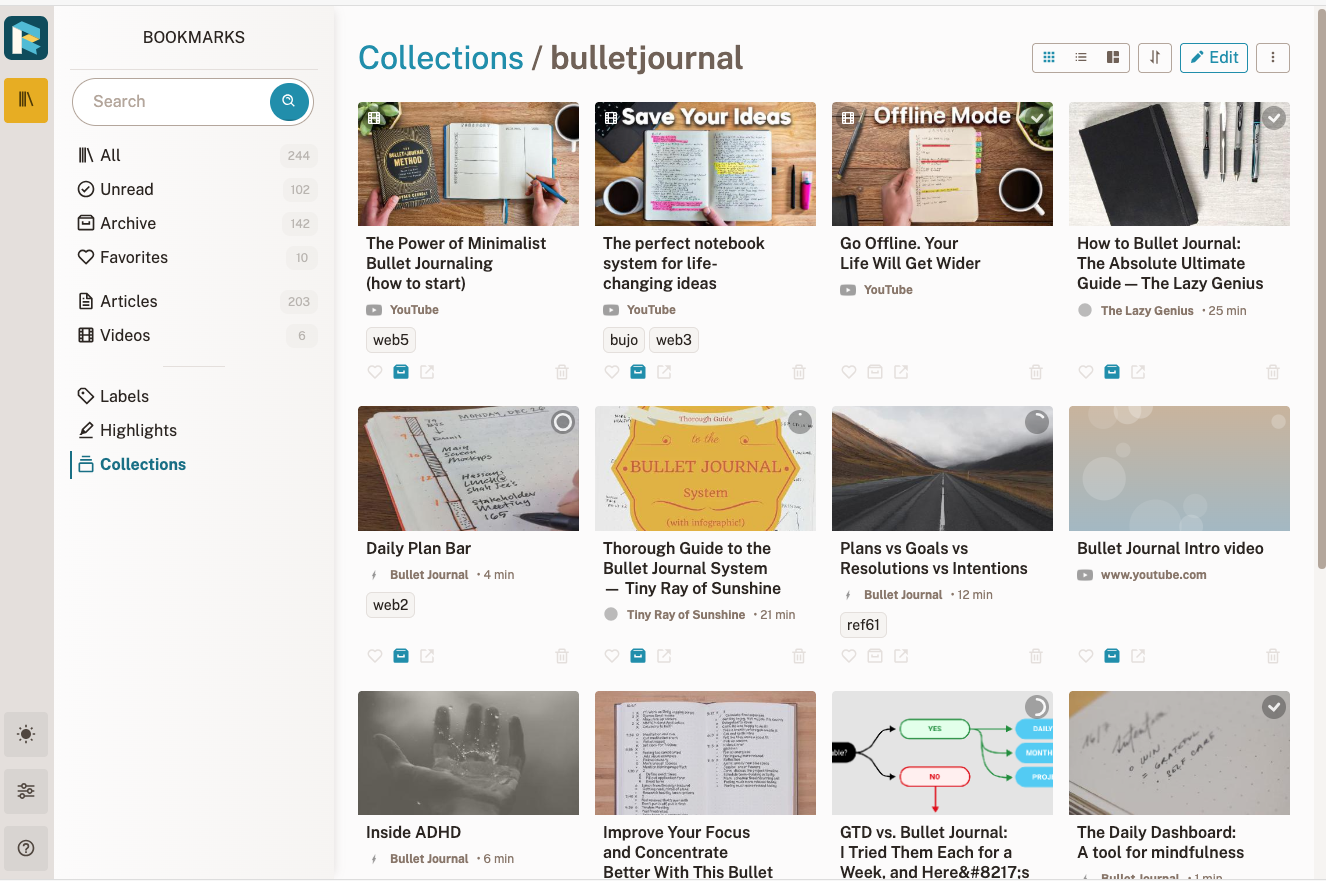
Readeck's Collections are a feature that I didn't expect to like and now they have become essential. A collection is basically a saved search – articles matching a tag, a keyword, a URL pattern, or a date range are collected automatically. I have one for articles saved in the last seven days and a few organized by topic. The Collections are like "smart folders" – they update without me doing anything.
Recently I started using the epub export. You can export a single article or an entire collection to an epub file and load it onto a Kobo or any other reader. Long articles and shortish stories read a lot better for me on eInk. I do wish there was a direct save to Dropbox or Google Drive so it lands on the Kobo without the manual transfer step.
You can also share your articles within Readeck. It generates a URL to the nicely formatted article that you can share with people. That URL expires after a certain amount of time. That expiration seems a little weird but it is the difference between sharing with a few people and re-publishing the original.
Readeck also has annotations for highlighting sections in articles and those highlights show up when you share an article publicly. I would like a mass export to a file that has a link to the article in my Readeck server, but that is minor. Annotations within the webapp work really well. Annotations are the main reason I use the mobile browser rather than the app – in the browser I can highlight things but I can't in the mobile app and the mobile site works really well.
The feature I've gotten the most personal use out of isn't in Readeck itself – it's a workflow I built around it. I used to save articles and then never look at them, so my reading list turned into a graveyard. I solved this with an iOS Shortcut that calls the Readeck API to save the page and simultaneously assigns a unique tag. The tag, Readeck URL and my API key are stored in DataJar (a free app for storing state, secrets and values in Shortcuts). When I save an article, the title and tag flash on screen, and I write them in my bullet journal as a reminder to at least open it later. The Shortcut is here if you want to adapt it.
If you want to try Readeck before committing, there's a Docker image you can run locally. That's exactly how I started – I saved a few articles, poked around, and only then moved it to Pikapod. It was certainly worth the experiment. If you're already happy with Instapaper, you probably won't find much to convince you to change. But if you've ever wanted a self-hosted option that doesn't feel like a compromise, Readeck is a great choice.